Study and revision
Revise from a map,
not a wall of notes
KiteMind turns a chapter, a lecture or an essay plan into a mind map on iPhone, iPad and Mac. Say or paste what you’re studying, let the on-device AI lay it out, then fold branches away and test yourself.
- Templates for lectures, study plans and papers
- Unlimited AI, no subscription
- Syncs across iPhone, iPad and Mac
Updated
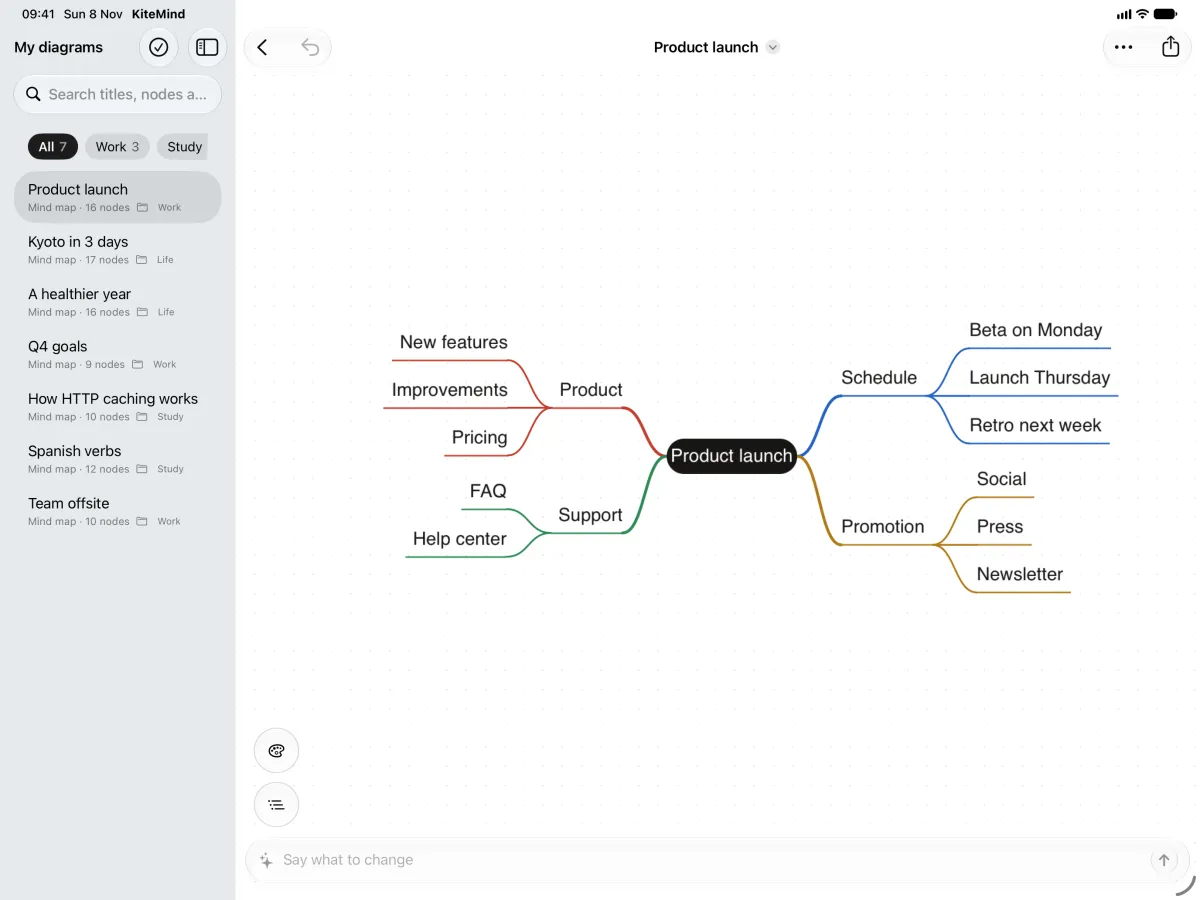
A study session
From notes to a map you can revise from
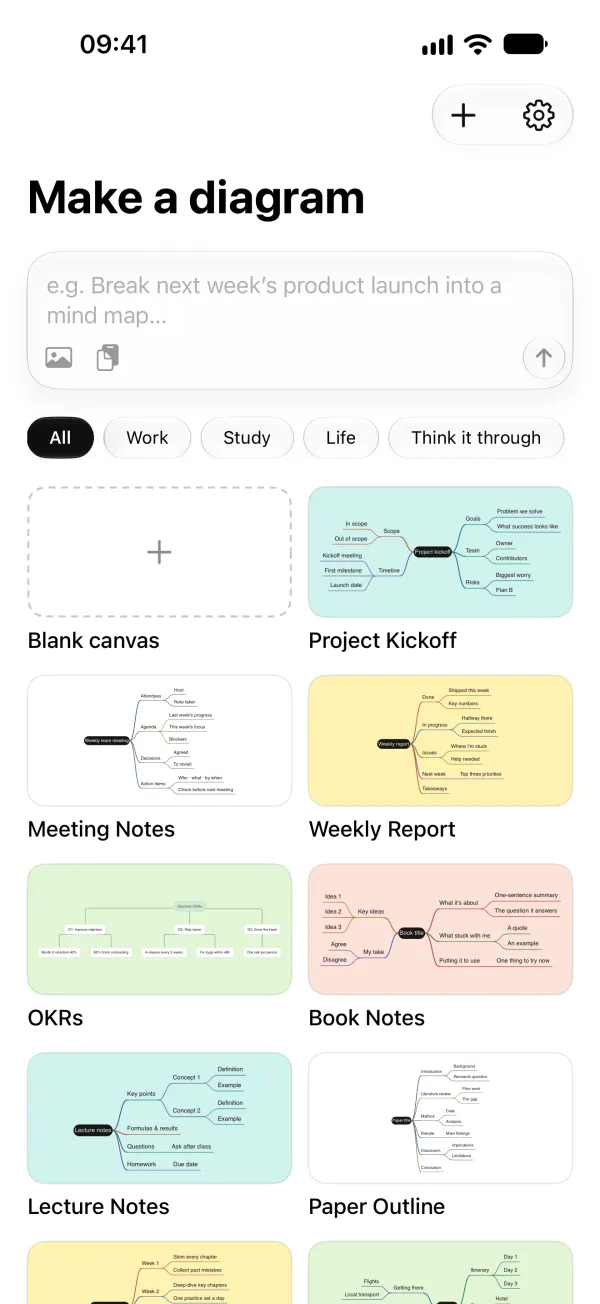
- Start from what you haveSay the topic, paste your notes, scan a notebook page, or pick a template: Lecture Notes, Study Plan, Paper Outline or Book Notes.
- Let the AI lay it outThe on-device AI groups the ideas into branches. Where a branch is thin, choose “Expand this branch” or just ask: “add two examples under photosynthesis”.
- Connect the ideasDraw relationship lines between branches and write on them (“causes”, “is part of”), the way a concept map does. Add notes, numbering, boundaries and summaries.
- Test yourselfCollapse a branch, try to recall what’s under it, then open it again. Presentation mode walks through the map one branch at a time.
The AI can get facts wrong: check what it adds against your notes and textbook. Every AI change is shown as a preview first, and you decide what stays.
Compared
Compared with the usual study tools
| KiteMind | Typical alternatives | |
|---|---|---|
| First draft | Say or paste the topic; the AI drafts the branches | Draw every box by hand |
| AI use | Unlimited, on your device | Credits or a monthly plan are common |
| Price | Free; Pro is a one-time $9.99 | Subscriptions are common |
| Account | None, not even an email | Usually required |
| No Wi‑Fi | Works in airplane mode | Cloud AI needs a connection |
Templates
Templates made for studying
- Lecture Notes: key points, concepts with a definition and an example, questions to ask, homework.
- Study Plan: exam revision split into weeks, down to the day before.
- Paper Outline: from the introduction to the discussion, before you start writing.
- Book Notes: what the book is about, its key ideas and your own take.
A good fit
Subjects and tasks that suit a map
Chapter summaries
One map per chapter: main ideas as branches, details underneath.
Languages
Verb groups, vocabulary by topic, grammar rules with examples.
History and literature
Causes and consequences, characters and themes, joined with labelled lines.
Science
Processes as flowcharts, classifications as tree charts.
Essays and theses
Sketch the structure before you write, then export the outline as Markdown.
Exam planning
Turn the term’s revision plan into week-by-week tasks with checkboxes.
FAQ
Questions about this
Can KiteMind make concept maps?
Yes, in the way most courses use them: the main concepts as branches, plus relationship lines you can label to link ideas across branches. The layouts are mind map, logic chart, tree chart, org chart and flowchart; there’s no free-form canvas where you place boxes anywhere.
Can I print my map or hand it in?
Export a PNG or PDF to print or upload it, or Markdown and OPML if you need the text. Free exports carry a small watermark; Pro removes it.
Does it work in class without Wi‑Fi?
Yes. The AI runs on your device, so drawing and editing work in airplane mode. Voice input needs a one-time download of the speech model for your language.
Is there a subscription or a student plan?
There’s no subscription. Drawing, editing and AI are free and unlimited; Pro is a one-time $9.99 for watermark-free exports, SVG, all 12 styles, and images and icons in nodes.
Guides
More ways to use KiteMind
Free to start. AI with no limits.
Drawing, editing and AI are unlimited in the free version. Pro is a one-time $9.99: no subscription, no account.